New Features We Find Exciting in the Kubernetes 1.36 Release
Kubernetes v1.36, “Haru”, takes its name from a Japanese word carrying several meanings at once: 春, spring; 晴, clear skies; 遥か, far-off. You’ll find all three in this release: features that have been in progress for years now reaching stable, clarity in areas where workarounds had become the norm, and early work that is still some distance away but now in view.
Admission control gets a declarative, in-process alternative to webhooks, now finally stable. Container isolation takes a long-awaited step forward with User Namespaces graduating to stable as well. Dynamic Resource Allocation (DRA) gains flexibility, health signaling, and a native way for visibility into device availability.
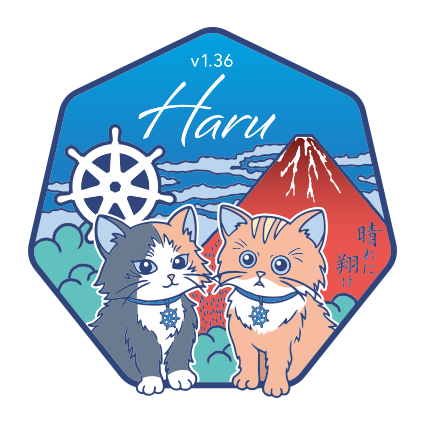
The release logo takes its cue from Hokusai’s Thirty-six Views of Mount Fuji, a nod to the release number 1.36. The full release notes cover a lot more than thirty-six views so to make things easier we decided to pick a few that we think are worth the attention!
We’re hosting a webinar on April 29 with Kubernetes 1.36 Release Lead Ryota Sawada. If you want to learn what’s new and exciting in 1.36, or how the release process for one of the largest open-source projects works, sign up here.
Features Moving to Stable: Standing in Clear Morning Light
Mutating Admission Policies
Most mutations an admission controller makes are edits like setting labels and fields, or adding sidecars. Mutating Admission Policies, graduating to Stable in v1.36, introduce a declarative, in-process method that handles exactly these cases. By defining changes directly in YAML using Common Expression Language (CEL), they eliminate the need for a webhook and the operational overhead and latency that comes with maintaining external infrastructure.
The feature separates policy definition from policy configuration across three resource types: MutatingAdmissionPolicy for the mutation logic, MutatingAdmissionPolicyBinding to activate and scope it, and optional param resources (ConfigMaps or custom resources) to supply runtime values to the policy. Here’s a complete example that automatically injects a sidecar into every new Pod. First, the policy itself:
apiVersion: admissionregistration.k8s.io/v1
kind: MutatingAdmissionPolicy
metadata:
  name: "sidecar-policy.example.com"
spec:
  paramKind:
    group: mutations.example.com
    kind: Sidecar
    version: v1
  matchConstraints:
    resourceRules:
      - apiGroups: ["apps"]
        apiVersions: ["v1"]
        operations: ["CREATE"]
        resources: ["pods"]
  matchConditions:
    - name: does-not-already-have-sidecar
      expression: "!object.spec.initContainers.exists(ic, ic.name == params.name)"
  failurePolicy: Fail
  reinvocationPolicy: IfNeeded
  mutations:
    - patchType: "ApplyConfiguration"
      expression: >
        Object{
          spec: Object.spec{
            initContainers: [
              Object.spec.initContainers{
                name: params.name,
                image: params.image,
                args: params.args,
                restartPolicy: params.restartPolicy
              }
            ]
          }
        }
matchConstraints defines which resources this policy applies to. The matchConditions guard checks whether the sidecar is already present before injecting. Without this, re-applying the policy would keep adding duplicates. The mutations field is where the actual change is defined. Object{} and Object.spec{} are CEL object instantiations: rather than describing the full object, you construct only the fields you want to set, and Kubernetes merges that partial object into the incoming resource. params refers to the values coming from the bound param resource, which keeps the policy reusable across different sidecar configurations.
To activate the policy, you need a binding and the param resource it references:
# Policy Binding
apiVersion: admissionregistration.k8s.io/v1
kind: MutatingAdmissionPolicyBinding
metadata:
  name: "sidecar-binding-test.example.com"
spec:
  policyName: "sidecar-policy.example.com"
  paramRef:
    name: "meshproxy-test.example.com"
    namespace: "default"
---
# Sidecar parameter resource
apiVersion: mutations.example.com
kind: Sidecar
metadata:
  name: meshproxy-test.example.com
spec:
  name: mesh-proxy
  image: mesh/proxy:v1.0.0
  args: ["proxy", "sidecar"]
  restartPolicy: Always
The binding connects the policy to a specific param resource. The Sidecar object holds the values (image, args, name) that params resolves to inside the policy expression. This separation means you can update the sidecar configuration without touching the policy itself.
To see the effect, take this Pod being submitted to the cluster:
kind: Pod
spec:
  initContainers:
    - name: myapp-initializer
      image: example/initializer:v1.0.0
  containers:
    - name: myapp
      image: example/myapp:v1.0.0
Because the create request matches the policy, Kubernetes mutates the Pod before admitting it, resulting in:
kind: Pod
spec:
  initContainers:
    - name: mesh-proxy
      image: mesh/proxy:v1.0.0
      args: ["proxy", "sidecar"]
      restartPolicy: Always
    - name: myapp-initializer
      image: example/initializer:v1.0.0
  containers:
    - name: myapp
      image: example/myapp:v1.0.0
The mesh-proxy init container is prepended automatically. And because evaluation is in-process, the kube-apiserver can introspect changes to optimize execution order and safely re-run policies to ensure idempotency. For mutations that require external calls, a webhook is still needed, but Mutating Admission Policies cover the vast majority of common use cases.
User Namespaces
When a container runs as root, it has historically run as root on the host too. If a process inside the container were to break out, it would land on the node with full root privileges. This is not just a theoretical concern but has in fact led to several high-severity CVEs.
User Namespaces, graduating to Stable in v1.36, address this by mapping user and group IDs inside the container to different IDs on the host. A process running as UID 0 inside the container is mapped to an unprivileged UID on the host, so if it escapes the container it has no meaningful privileges on the node. The feature is controlled by a single field on the pod spec:
apiVersion: v1
kind: Pod
metadata:
  name: secure-pod
spec:
  hostUsers: false
  containers:
    - name: app
      image: my-app:v1.0.0
      securityContext:
        runAsUser: 0
Setting hostUsers: false tells the kubelet to create a new user namespace for the pod. Inside the container, the process runs as UID 0 as specified, but on the host that same process is mapped to an unprivileged UID. The kubelet assigns non-overlapping ranges across pods on the same node, so two pods both running as UID 0 inside their containers each map to different host UIDs, giving better pod-to-pod isolation.
DRA: Prioritized Alternatives in Device Requests
Dynamic Resource Allocation lets workloads request specific hardware devices through a ResourceClaim. Until now, each request described exactly one type of device. If that specific device wasn’t available on any node, the workload would fail to schedule even if the workload itself could run perfectly well on a different GPU model. For AI/ML workloads in particular, where the latest GPU models are in high demand and often scarce, this all-or-nothing behavior is a real obstacle to scheduling.
Kubernetes v1.36 adds a firstAvailable field to device requests, allowing cluster admins to specify an ordered list of alternatives. The scheduler tries each entry in the list in order, using the first one it can satisfy. If the preferred device isn’t available, it falls back to the next, and so on. Requests for a single GPU without alternatives can still use an exactly field. Here’s how this looks in practice:
apiVersion: resource.k8s.io/v1beta2
kind: ResourceClaim
metadata:
  name: device-consumer-claim
spec:
  devices:
    requests:
      - name: nic
        exactly:
          deviceClassName: rdma-nic
      - name: gpu
        firstAvailable:
          - name: big-gpu
            deviceClassName: big-gpu
          - name: mid-gpu
            deviceClassName: mid-gpu
          - name: small-gpu
            deviceClassName: small-gpu
            count: 2
    constraints:
      - requests: ["nic", "gpu"]
        matchAttribute:
          - dra.k8s.io/pcieRoot
    config:
      - requests: ["gpu/small-gpu"]
        opaque:
          driver: gpu.acme.example.com
          parameters:
            apiVersion: gpu.acme.example.com/v1
            kind: GPUConfig
            mode: multipleGPUs
In this example, the nic request uses exactly because there’s no alternative. It needs an RDMA NIC (Remote Direct Memory Access Network Interface Card, a high-performance network adapter commonly paired with GPUs in AI/ML workloads) and nothing else will do. The gpu request uses firstAvailable with three alternatives listed in priority order. The scheduler first tries to satisfy big-gpu. If no node can provide one, it tries mid-gpu. If that also fails, it tries small-gpu, which in this case requires two devices instead of one.
Features Moving to Beta: Catching the Spring Wind
DRA: Device Taints and Tolerations
DRA is getting serious attention this release. The stable feature we discussed above is about getting workloads scheduled when a preferred device isn’t available. This beta feature addresses the other side of that problem: what happens when a device that’s already in use becomes unhealthy or needs to be taken offline.
GPUs overheating under sustained AI training loads is a common operational issue. Until now, DRA drivers had limited options when a device’s health changed. They could remove the device from a ResourceSlice entirely to prevent it from being used by new pods, but that gave no way to communicate what was wrong or to let workloads decide for themselves whether to keep running in a degraded state or not.
Device Taints and Tolerations, moving to Beta in v1.36, bring the same taint and toleration model that Kubernetes uses for nodes and apply it to devices. A DRA driver can mark a device as tainted directly in a ResourceSlice. Cluster administrators can do the same by creating a DeviceTaintRule, which applies a taint to all devices matching specified selection criteria, for example, all devices managed by a particular driver, or a specific device identified by its <driver>/<pool>/<device> name.
As part of this feature, two effects are introduced:
NoScheduleprevents the tainted device from being used for new pod scheduling but leaves any pods currently using it running.NoExecutegoes further: it also evicts pods that are already using the device, unless they tolerate the taint.
Tolerations are added to the ResourceClaim rather than the pod. This means that multiple pods can share a single claim, and placing tolerations on the claim ensures the decision to tolerate a taint is consistent across all of them.
Constrained Impersonation
We covered Constrained Impersonation when it landed as an alpha feature in Kubernetes 1.35 as well. The core problem it solves is of the existing impersonation system being all-or-nothing. If a controller is allowed to impersonate a user, it inherits all of that user’s permissions and not just the ones it actually needs. A controller that only needs to list pods on a specific node gains the ability to delete resources, modify workloads, or access sensitive data, simply because the impersonated identity has those permissions. This has historically made it strongly inadvisable to allow controllers to impersonate at all.
Moving to Beta in v1.36, Constrained Impersonation introduces two-permission impersonation. With this change, two separate resources are required: one that grants permission to impersonate a specific identity, and one that grants permission to perform specific actions while impersonating. Both must be satisfied for the request to proceed.
Here’s a complete example: granting system:serviceaccount:default:default permission to impersonate a user named someUser, but only to list and watch pods in the default namespace.
First, the cluster-scoped permission to impersonate the identity:
apiVersion: rbac.authorization.k8s.io/v1
kind: ClusterRole
metadata:
  name: constrained-impersonate-only-someUser
rules:
  - apiGroups:
      - authentication.k8s.io
    resources:
      - users
    resourceNames:
      - someUser
    verbs:
      - impersonate:user-info
---
apiVersion: rbac.authorization.k8s.io/v1
kind: ClusterRoleBinding
metadata:
  name: constrained-impersonate-only-someUser
roleRef:
  apiGroup: rbac.authorization.k8s.io
  kind: ClusterRole
  name: constrained-impersonate-only-someUser
subjects:
  - kind: ServiceAccount
    name: default
    namespace: default
This grants the service account the ability to impersonate someUser, but nothing else. Without the second permission, it still cannot take any action as that user. The second permission defines what actions are allowed during impersonation:
apiVersion: rbac.authorization.k8s.io/v1
kind: Role
metadata:
  name: impersonate-allow-only-listwatch-pods
  namespace: default
rules:
  - apiGroups:
      - ""
    resources:
      - pods
    verbs:
      - impersonate-on:user-info:list
      - impersonate-on:user-info:watch
---
apiVersion: rbac.authorization.k8s.io/v1
kind: RoleBinding
metadata:
  name: impersonate-allow-only-listwatch-pods
  namespace: default
roleRef:
  apiGroup: rbac.authorization.k8s.io
  kind: Role
  name: impersonate-allow-only-listwatch-pods
subjects:
  - kind: ServiceAccount
    name: default
    namespace: default
With both permissions in place, the service account can impersonate someUser to list and watch pods in the default namespace. But any attempt to perform other actions like deleting pods, accessing other namespaces, or anything else someUser might normally be permitted to do is rejected by the API server.
Features Moving to Alpha: Distant Views, Coming Into Focus
DRA: Resource Availability Visibility
So far we’ve mentioned changes in DRA for requesting devices, handling fallbacks when devices aren’t available, and managing degraded devices. What’s been missing is a simple way to answer the most basic operational question: how many devices are actually available right now?
Currently, when a pod fails to schedule due to insufficient DRA resources, there’s no straightforward API to understand why. ResourceSlices publish total device capacity and ResourceClaims track allocations, but aggregating those into an availability picture requires querying across multiple namespaces which is something less-privileged users can’t do.
Kubernetes v1.36 introduces ResourcePoolStatusRequest in alpha to close this gap. Following the same request/status pattern as CertificateSigningRequest, a user creates a request object specifying a driver name and an optional pool filter. A controller in kube-controller-manager computes the availability summary and writes it to the status for the user to read.
Here’s what that looks like in practice:
# Create a status request for all GPU pools
$ kubectl create -f - <<EOF
apiVersion: resource.k8s.io/v1alpha1
kind: ResourcePoolStatusRequest
metadata:
  name: check-gpus-$(date +%s)
spec:
  driver: example.com/gpu
EOF

# Wait for processing
$ kubectl wait --for=condition=Complete rpsr/check-gpus-1707300000 --timeout=30s

# View results
$ kubectl get rpsr/check-gpus-1707300000 -o yaml
The status response looks like this:
status:
  observationTime: "2026-02-07T10:30:00Z"
  pools:
    - driver: example.com/gpu
      poolName: node-1
      nodeName: node-1
      totalDevices: 4
      allocatedDevices: 3
      availableDevices: 1
    - driver: example.com/gpu
      poolName: node-2
      nodeName: node-2
      totalDevices: 4
      allocatedDevices: 1
      availableDevices: 3
  conditions:
    - type: Complete
      status: "True"
      reason: CalculationComplete
      lastTransitionTime: "2026-02-07T10:30:00Z"
Each pool entry shows totalDevices, allocatedDevices, and availableDevices. In this example, node-1 has one GPU left and node-2 has three, which immediately explains why a workload requesting two GPUs would fail to schedule on node-1.
The rpsr short name is registered for convenience, so kubectl get rpsr works as expected. Since each request is processed once and persists until deleted, users should clean up old requests or use unique timestamped names as shown above.
Report Last Used Time on a PVC
When an application is deleted or migrated, its PVCs often get left behind, sitting idle but still consuming storage and incurring cost. Until now, Kubernetes provided no convenient way to know when a PVC was last actively used by a workload. You could manually audit application deployments or would have to rely on external tooling for that.
Kubernetes v1.36 adds an unusedSince timestamp field to PersistentVolumeClaimStatus. The PVC protection controller, which already watches Pod events and tracks when PVCs transition between in-use and not-in-use states, now updates this field when the last Pod referencing a PVC is deleted or reaches a terminal state. When a new Pod starts referencing the PVC, the field is cleared back to nil.
The field has two states: if unusedSince is set it means the PVC is not currently in use and the value shows the timestamp since when it’s been unused. If it is nil, the PVC is either currently mounted by a Pod, or it has never been used at all.
Here’s what the status looks like on an idle PVC:
apiVersion: v1
kind: PersistentVolumeClaim
metadata:
  name: my-data
  namespace: default
status:
  phase: Bound
  unusedSince: "2026-03-10T14:22:00Z"
Takeaways From the Haru Release
Haru is a release that rewards attention to detail over spectacle. Mutating Admission Policies and User Namespaces reach stable after years of iteration, bringing clarity to two areas, admission control and container isolation, where workarounds had become standard practice. DRA, still expanding, gains scheduling flexibility, device health signaling, and a native way to ask how many devices are actually available right now.
The mountain in the release logo is the same one Hokusai returned to thirty-six times: same subject, approached differently each time. Kubernetes releases work the same way. The platform doesn’t change shape, but each version makes it a bit easier to work with than the one before.
What is mirrord?
mirrord is a Kubernetes development platform that lets developers and AI coding agents test code in a production-like environment before deploying it. Your service runs wherever you're working, locally, in CI, or in an agent's sandbox, while mirrord proxies its traffic, environment variables, and files to and from a shared staging cluster, so it behaves as if it were deployed without actually being deployed.
Engineering teams at companies like monday.com, National Australia Bank, and SurveyMonkey use mirrord to iterate and ship faster, while spending less on dev environment infrastructure.