# New Features We Find Exciting in the Kubernetes 1.36 Release
> Kubernetes 1.36 'Haru': Mutating Admission Policies and User Namespaces go stable; DRA gets prioritized fallback scheduling and device taints.
Canonical page: https://metalbear.com/blog/kubernetes-1-36/
Author: Arsh Sharma, Senior DevRel at MetalBear (https://metalbear.com/contributors/arsh-sharma/)
Published: 2026-04-23
Last updated: 2026-04-23
Kubernetes v1.36, "Haru", takes its name from a Japanese word carrying several meanings at once: 春, spring; 晴, clear skies; 遥か, far-off. You'll find all three in this release: features that have been in progress for years now reaching stable, clarity in areas where workarounds had become the norm, and early work that is still some distance away but now in view.
Admission control gets a declarative, in-process alternative to webhooks, now finally stable. Container isolation takes a long-awaited step forward with User Namespaces graduating to stable as well. Dynamic Resource Allocation (DRA) gains flexibility, health signaling, and a native way for visibility into device availability.
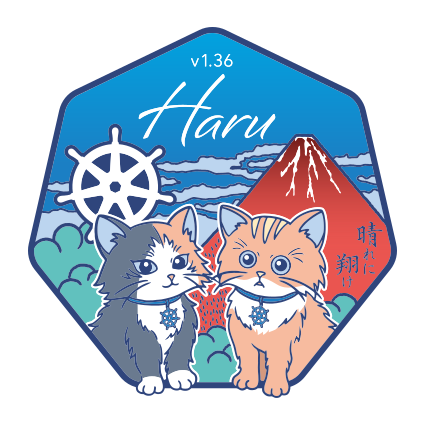
The release logo takes its cue from Hokusai's _Thirty-six_ Views of Mount Fuji, a nod to the release number 1.36. The full release notes cover a lot more than thirty-six views so to make things easier we decided to pick a few that we think are worth the attention!
Kubernetes 1.36 (Haru) Release Logo
> We’re hosting a webinar on April 29 with Kubernetes 1.36 Release Lead Ryota Sawada. If you want to learn what’s new and exciting in 1.36, or how the release process for one of the largest open-source projects works, [sign up here](https://streamyard.com/watch/fFbxKTZFFSGY).
## Features Moving to Stable: Standing in Clear Morning Light
### Mutating Admission Policies
Most mutations an [admission controller](https://kubernetes.io/docs/reference/access-authn-authz/admission-controllers/) makes are edits like setting labels and fields, or adding sidecars. Mutating Admission Policies, graduating to Stable in v1.36, introduce a declarative, in-process method that handles exactly these cases. By defining changes directly in YAML using Common Expression Language (CEL), they eliminate the need for a webhook and the operational overhead and latency that comes with maintaining external infrastructure.
The feature separates policy definition from policy configuration across three resource types: `MutatingAdmissionPolicy` for the mutation logic, `MutatingAdmissionPolicyBinding` to activate and scope it, and optional param resources (ConfigMaps or custom resources) to supply runtime values to the policy. Here's a complete example that automatically injects a sidecar into every new Pod. First, the policy itself:
```yaml
apiVersion: admissionregistration.k8s.io/v1
kind: MutatingAdmissionPolicy
metadata:
name: "sidecar-policy.example.com"
spec:
paramKind:
group: mutations.example.com
kind: Sidecar
version: v1
matchConstraints:
resourceRules:
- apiGroups: ["apps"]
apiVersions: ["v1"]
operations: ["CREATE"]
resources: ["pods"]
matchConditions:
- name: does-not-already-have-sidecar
expression: "!object.spec.initContainers.exists(ic, ic.name == params.name)"
failurePolicy: Fail
reinvocationPolicy: IfNeeded
mutations:
- patchType: "ApplyConfiguration"
expression: >
Object{
spec: Object.spec{
initContainers: [
Object.spec.initContainers{
name: params.name,
image: params.image,
args: params.args,
restartPolicy: params.restartPolicy
}
]
}
}
```
`matchConstraints` defines which resources this policy applies to. The `matchConditions` guard checks whether the sidecar is already present before injecting. Without this, re-applying the policy would keep adding duplicates. The `mutations` field is where the actual change is defined. `Object{}` and `Object.spec{}` are [CEL object instantiations](https://kubernetes.io/docs/reference/using-api/cel/): rather than describing the full object, you construct only the fields you want to set, and Kubernetes merges that partial object into the incoming resource. `params` refers to the values coming from the bound param resource, which keeps the policy reusable across different sidecar configurations.
To activate the policy, you need a binding and the param resource it references:
```yaml
# Policy Binding
apiVersion: admissionregistration.k8s.io/v1
kind: MutatingAdmissionPolicyBinding
metadata:
name: "sidecar-binding-test.example.com"
spec:
policyName: "sidecar-policy.example.com"
paramRef:
name: "meshproxy-test.example.com"
namespace: "default"
---
# Sidecar parameter resource
apiVersion: mutations.example.com
kind: Sidecar
metadata:
name: meshproxy-test.example.com
spec:
name: mesh-proxy
image: mesh/proxy:v1.0.0
args: ["proxy", "sidecar"]
restartPolicy: Always
```
The binding connects the policy to a specific param resource. The `Sidecar` object holds the values (image, args, name) that `params` resolves to inside the policy expression. This separation means you can update the sidecar configuration without touching the policy itself.
To see the effect, take this Pod being submitted to the cluster:
```yaml
kind: Pod
spec:
initContainers:
- name: myapp-initializer
image: example/initializer:v1.0.0
containers:
- name: myapp
image: example/myapp:v1.0.0
```
Because the create request matches the policy, Kubernetes mutates the Pod before admitting it, resulting in:
```yaml
kind: Pod
spec:
initContainers:
- name: mesh-proxy
image: mesh/proxy:v1.0.0
args: ["proxy", "sidecar"]
restartPolicy: Always
- name: myapp-initializer
image: example/initializer:v1.0.0
containers:
- name: myapp
image: example/myapp:v1.0.0
```
The `mesh-proxy` init container is prepended automatically. And because evaluation is in-process, the kube-apiserver can introspect changes to optimize execution order and safely re-run policies to ensure idempotency. For mutations that require external calls, a webhook is still needed, but Mutating Admission Policies cover the vast majority of common use cases.
### User Namespaces
When a container runs as root, it has historically run as root on the host too. If a process inside the container were to break out, it would land on the node with full root privileges. This is not just a theoretical concern but has in fact led to [several](https://github.com/kubernetes/kubernetes/issues/60813) [high-severity](https://nvd.nist.gov/vuln/detail/CVE-2019-5736) [CVEs](https://github.com/kubernetes/kubernetes/issues/104980).
User Namespaces, graduating to Stable in v1.36, address this by mapping user and group IDs inside the container to different IDs on the host. A process running as UID 0 inside the container is mapped to an unprivileged UID on the host, so if it escapes the container it has no meaningful privileges on the node. The feature is controlled by a single field on the pod spec:
```yaml
apiVersion: v1
kind: Pod
metadata:
name: secure-pod
spec:
hostUsers: false
containers:
- name: app
image: my-app:v1.0.0
securityContext:
runAsUser: 0
```
Setting `hostUsers: false` tells the kubelet to create a new user namespace for the pod. Inside the container, the process runs as UID 0 as specified, but on the host that same process is mapped to an unprivileged UID. The kubelet assigns non-overlapping ranges across pods on the same node, so two pods both running as UID 0 inside their containers each map to different host UIDs, giving better pod-to-pod isolation.
### DRA: Prioritized Alternatives in Device Requests
Dynamic Resource Allocation lets workloads request specific hardware devices through a `ResourceClaim`. Until now, each request described exactly one type of device. If that specific device wasn't available on any node, the workload would fail to schedule even if the workload itself could run perfectly well on a different GPU model. For AI/ML workloads in particular, where the latest GPU models are in high demand and often scarce, this all-or-nothing behavior is a real obstacle to scheduling.
Kubernetes v1.36 adds a `firstAvailable` field to device requests, allowing cluster admins to specify an ordered list of alternatives. The scheduler tries each entry in the list in order, using the first one it can satisfy. If the preferred device isn't available, it falls back to the next, and so on. Requests for a single GPU without alternatives can still use an `exactly` field. Here’s how this looks in practice:
```yaml
apiVersion: resource.k8s.io/v1beta2
kind: ResourceClaim
metadata:
name: device-consumer-claim
spec:
devices:
requests:
- name: nic
exactly:
deviceClassName: rdma-nic
- name: gpu
firstAvailable:
- name: big-gpu
deviceClassName: big-gpu
- name: mid-gpu
deviceClassName: mid-gpu
- name: small-gpu
deviceClassName: small-gpu
count: 2
constraints:
- requests: ["nic", "gpu"]
matchAttribute:
- dra.k8s.io/pcieRoot
config:
- requests: ["gpu/small-gpu"]
opaque:
driver: gpu.acme.example.com
parameters:
apiVersion: gpu.acme.example.com/v1
kind: GPUConfig
mode: multipleGPUs
```
In this example, the `nic` request uses `exactly` because there's no alternative. It needs an RDMA NIC (Remote Direct Memory Access Network Interface Card, a high-performance network adapter commonly paired with GPUs in AI/ML workloads) and nothing else will do. The `gpu` request uses `firstAvailable` with three alternatives listed in priority order. The scheduler first tries to satisfy `big-gpu`. If no node can provide one, it tries `mid-gpu`. If that also fails, it tries `small-gpu`, which in this case requires two devices instead of one.
## Features Moving to Beta: Catching the Spring Wind
### DRA: Device Taints and Tolerations
DRA is getting serious attention this release. The stable feature we discussed above is about getting workloads scheduled when a preferred device isn't available. This beta feature addresses the other side of that problem: what happens when a device that's already in use becomes unhealthy or needs to be taken offline.
GPUs overheating under sustained AI training loads is a common operational issue. Until now, DRA drivers had limited options when a device's health changed. They could remove the device from a [`ResourceSlice`](https://kubernetes.io/docs/concepts/scheduling-eviction/dynamic-resource-allocation/#resourceslice) entirely to prevent it from being used by new pods, but that gave no way to communicate what was wrong or to let workloads decide for themselves whether to keep running in a degraded state or not.
Device Taints and Tolerations, moving to Beta in v1.36, bring the same [taint and toleration](https://kubernetes.io/docs/concepts/scheduling-eviction/taint-and-toleration/) model that Kubernetes uses for nodes and apply it to devices. A DRA driver can mark a device as tainted directly in a `ResourceSlice`. Cluster administrators can do the same by creating a `DeviceTaintRule`, which applies a taint to all devices matching specified selection criteria, for example, all devices managed by a particular driver, or a specific device identified by its `//` name.
As part of this feature, two effects are introduced:
- `NoSchedule` prevents the tainted device from being used for new pod scheduling but leaves any pods currently using it running.
- `NoExecute` goes further: it also evicts pods that are already using the device, unless they tolerate the taint.
Tolerations are added to the `ResourceClaim` rather than the pod. This means that multiple pods can share a single claim, and placing tolerations on the claim ensures the decision to tolerate a taint is consistent across all of them.
### Constrained Impersonation
We covered [Constrained Impersonation](https://metalbear.com/blog/kubernetes-1-35/#constrained-impersonation) when it landed as an alpha feature in Kubernetes 1.35 as well. The core problem it solves is of the existing impersonation system being all-or-nothing. If a controller is allowed to impersonate a user, it inherits all of that user's permissions and not just the ones it actually needs. A controller that only needs to list pods on a specific node gains the ability to delete resources, modify workloads, or access sensitive data, simply because the impersonated identity has those permissions. This has historically made it strongly inadvisable to allow controllers to impersonate at all.
Moving to Beta in v1.36, Constrained Impersonation introduces two-permission impersonation. With this change, two separate resources are required: one that grants permission to impersonate a specific identity, and one that grants permission to perform specific actions while impersonating. Both must be satisfied for the request to proceed.
Here's a complete example: granting `system:serviceaccount:default:default` permission to impersonate a user named `someUser`, but only to list and watch pods in the `default` namespace.
First, the cluster-scoped permission to impersonate the identity:
```yaml
apiVersion: rbac.authorization.k8s.io/v1
kind: ClusterRole
metadata:
name: constrained-impersonate-only-someUser
rules:
- apiGroups:
- authentication.k8s.io
resources:
- users
resourceNames:
- someUser
verbs:
- impersonate:user-info
---
apiVersion: rbac.authorization.k8s.io/v1
kind: ClusterRoleBinding
metadata:
name: constrained-impersonate-only-someUser
roleRef:
apiGroup: rbac.authorization.k8s.io
kind: ClusterRole
name: constrained-impersonate-only-someUser
subjects:
- kind: ServiceAccount
name: default
namespace: default
```
This grants the service account the ability to impersonate `someUser`, but nothing else. Without the second permission, it still cannot take any action as that user. The second permission defines what actions are allowed during impersonation:
```yaml
apiVersion: rbac.authorization.k8s.io/v1
kind: Role
metadata:
name: impersonate-allow-only-listwatch-pods
namespace: default
rules:
- apiGroups:
- ""
resources:
- pods
verbs:
- impersonate-on:user-info:list
- impersonate-on:user-info:watch
---
apiVersion: rbac.authorization.k8s.io/v1
kind: RoleBinding
metadata:
name: impersonate-allow-only-listwatch-pods
namespace: default
roleRef:
apiGroup: rbac.authorization.k8s.io
kind: Role
name: impersonate-allow-only-listwatch-pods
subjects:
- kind: ServiceAccount
name: default
namespace: default
```
With both permissions in place, the service account can impersonate `someUser` to list and watch pods in the `default` namespace. But any attempt to perform other actions like deleting pods, accessing other namespaces, or anything else `someUser` might normally be permitted to do is rejected by the API server.
## Features Moving to Alpha: Distant Views, Coming Into Focus
### DRA: Resource Availability Visibility
So far we’ve mentioned changes in DRA for requesting devices, handling fallbacks when devices aren't available, and managing degraded devices. What's been missing is a simple way to answer the most basic operational question: how many devices are actually available right now?
Currently, when a pod fails to schedule due to insufficient DRA resources, there's no straightforward API to understand why. `ResourceSlices` publish total device capacity and `ResourceClaims` track allocations, but aggregating those into an availability picture requires querying across multiple namespaces which is something less-privileged users can't do.
Kubernetes v1.36 introduces `ResourcePoolStatusRequest` in alpha to close this gap. Following the same request/status pattern as [`CertificateSigningRequest`](https://kubernetes.io/docs/reference/access-authn-authz/certificate-signing-requests/), a user creates a request object specifying a driver name and an optional pool filter. A controller in `kube-controller-manager` computes the availability summary and writes it to the status for the user to read.
Here's what that looks like in practice:
```bash
# Create a status request for all GPU pools
$ kubectl create -f - <